statuses:
[100]
| Copy Value | Ctrl+C | |
| Copy Name | Shift+C | |
| Copy | Ctrl+Shift+C | |
| Copy Path | Ctrl+P | |
| Copy Value | Ctrl+C | ||||||||||||||||
| Copy Name | Shift+C | ||||||||||||||||
| Copy | Ctrl+Shift+C | ||||||||||||||||
Copy As
| |||||||||||||||||
| Copy Path | Ctrl+P | ||||||||||||||||
| Export Selection | Ctrl+E | ||||||||||||||||
| Copy | Ctrl+Shift+C | |||||||
Copy As
| ||||||||
| Export Selection | Ctrl+E | |||||||

Browse hundreds of MBs of JSON right in your browser
Optimized to handle multi-megabyte files in seconds. Open and browse large JSON datasets without crashing or slowing down your browser.
Instantly visualize your data's structure. Responsive JSON tree view lets you expand, collapse, and search through nodes to understand any file.
Fetch JSON from any link, use Basic or Bearer token authentication, skip downloads and inspect live data instantly.
FAQ
Dadroit V Web is the best online JSON Viewer out there. You can open a JSON document from a file on your computer, mobile, or a remote URL. It lets you explore the tree structure, find text or RegEx, and export to other formats, minified or formatted. All of these happen in your browser, with no download or installation required, and are private with no server-side processing.
It is much faster than any web app you can find online and even better than almost all downloadable applications out there.
It can handle big files without requiring huge memory, and there is no need to send your files to any remote servers. Any task is done instantly, including Find and Export.
It has a clean and easy-to-use interface with no advertisement.
And the best part: it is completely free.
All processes are happening locally in your browser using efficient algorithms. It doesn't need any server to process your JSON files, so the file never leaves your machine.
Files, API responses, tokens, and any other queries are not sent or stored on any server.
When you close the tab, all data are gone. Making V Web the best fit if you need privacy for your job, like in the medical or financial fields.
V Web focuses on a few core things:
Yes, V Web is designed to work with large JSON files and is mostly limited by today's browsers' abilities.
Performance depends on your browser and hardware, but there is no extra delay for uploading since everything stays on your device.
The tree view shows your JSON as a collapsible structure:
You can paste any URL that returns JSON, including API endpoints.
If the endpoint needs authentication, you can use Basic or Bearer Token authentication. The request is made from your browser, and the response is treated like any other JSON file.
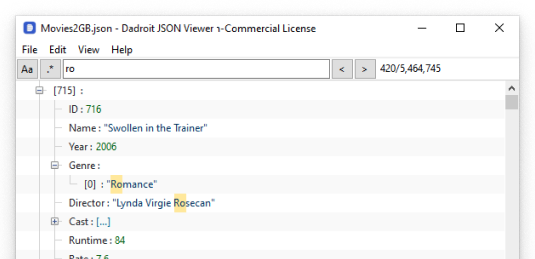
Find lets you search for a word, key, or value across the JSON. Simple text search and RegEx are supported.
Matches are highlighted so you can quickly move through the data and see where the term appears.
You can export:
No. All parsing happens locally in your browser; whether you drag-and-drop or use Open URLDesktop tools require download, installation, and updates.
V Web runs in the browser, so you can use it on any machine with a modern browser. Even when you don’t have permission to install software. It’s useful for quick inspection of JSON from APIs, logs, or temporary files., data remains on your machine, keeping proprietary or PII-laden datasets private.
Yes. It runs perfectly on your Android and iOS, using your preferred mobile browser. You won't need to install an app to use it.